
CLiDE Professional
Chemical structure extraction for enterprise users
CLiDE Professional is perfect for users who wish to select, extract and review large numbers of structures via a user friendly interface

Key
Highlights
- Extraction of large numbers of structures by a simple mouse click
- Saves many hours of redrawing structures
- The review of results is facilitated with a split document view between source and extracted structures, auto-detection of interpretation errors, and smooth transfer of structures into a chosen well-known chemical editor
What’s in the box?
- Has a contemporary easy-to-use classic document viewer user interface
- Opens PDF and Word documents
- Opens images of several types, including BMP, GIF, JPEG, PBM, PGM, PNG, PNM, PPM, TIFF, XBM and XPM
- Extracts structures from structure diagrams
- Attempts to interpret generic structures
- Detects and highlights most interpretation errors
- Chemical extraction can be done interactively via the user interface
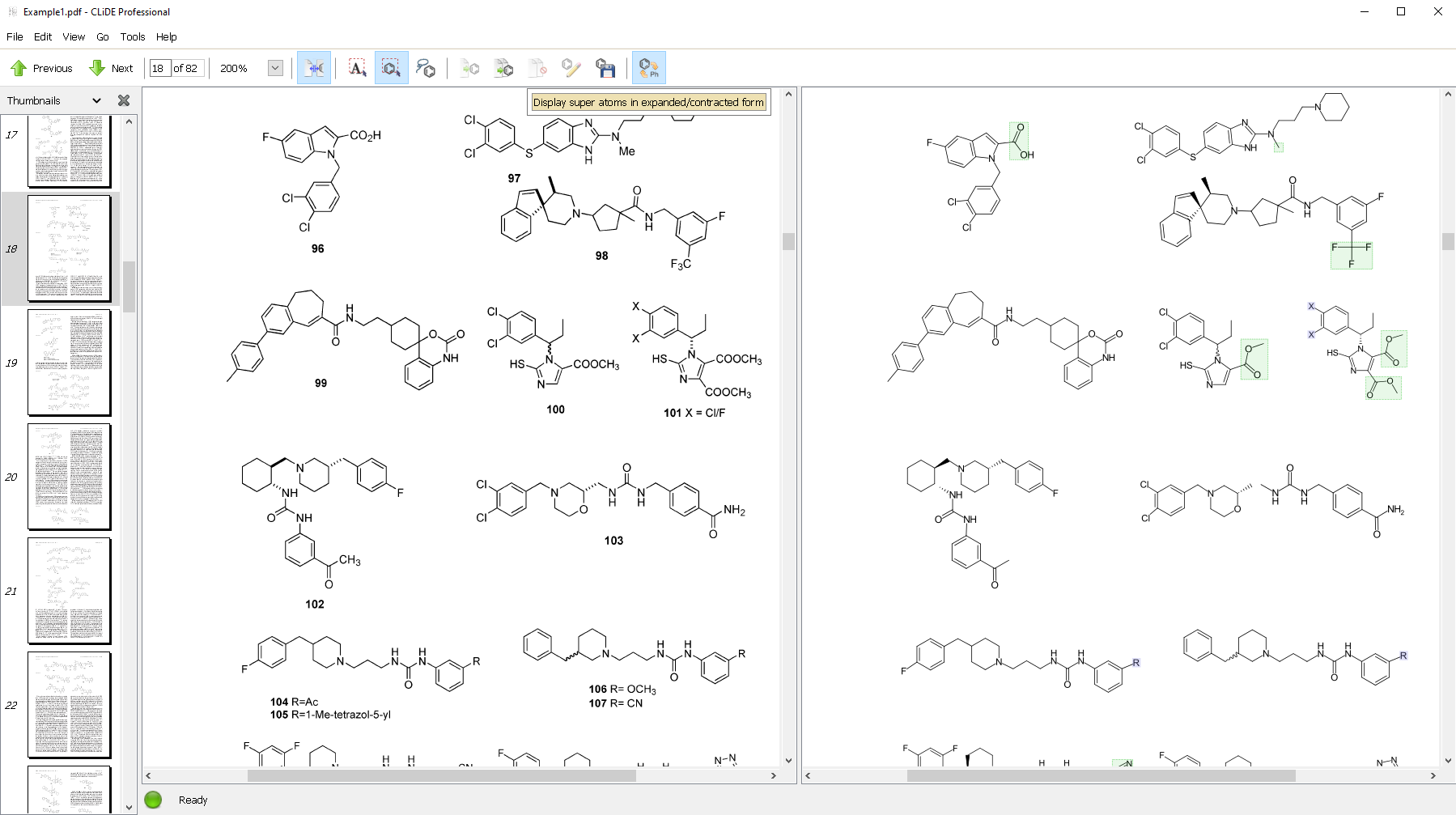
- Provides split view for easy comparison of source and extracted structures
- Indicates structures that have any abnormalities (including recognition errors and valence violations)
- Supports the display of super atoms in expanded and contracted form
- Provides a set of options
- to annotate structure parts e.g. non-interpreted atoms or valence-violated atoms
- to control the recognition process
- to select a particular chemical editor
- to control the information saved into exported files
- Supports structure editing directly via
- ChemDraw
- Accelrys Draw (formerly Symyx Draw and ISIS Draw)
Marvin Sketch
This allows the correction of any recognition errors present in the extracted structures
- Saves structures in the following formats:
- MDL Molfile
- MDL SDfile
- MDL RGfile
- CDX (ChemDraw)
- CML (Chemical Markup Language)
- MRV (ChemAxon Marvin Document)
- XML (Extensible Markup Language)
- Supports multi-session document analysis. This can be done by saving the extraction results into XML file format which can be reloaded at a later time in order to continue reviewing and exporting structures
- Supports grouping structures so that multiple structures can be edited
- Supports deleting structures so that unwanted structures can be excluded
How does it work?

User selects a page or ranges of pages to process within CLiDE Professional
CLiDE Professional extracts structures


User can change the display of super atoms (highlighted in green) to reveal their sub connection table
User can select a structure to transfer it a chemical editor

Structure transferred into PerkinElmer’s ChemDraw for editing
Once all structures have been reviewed, user saves structures into chemical files such as ChemDraw’s CDX and MDL Sdfile formats

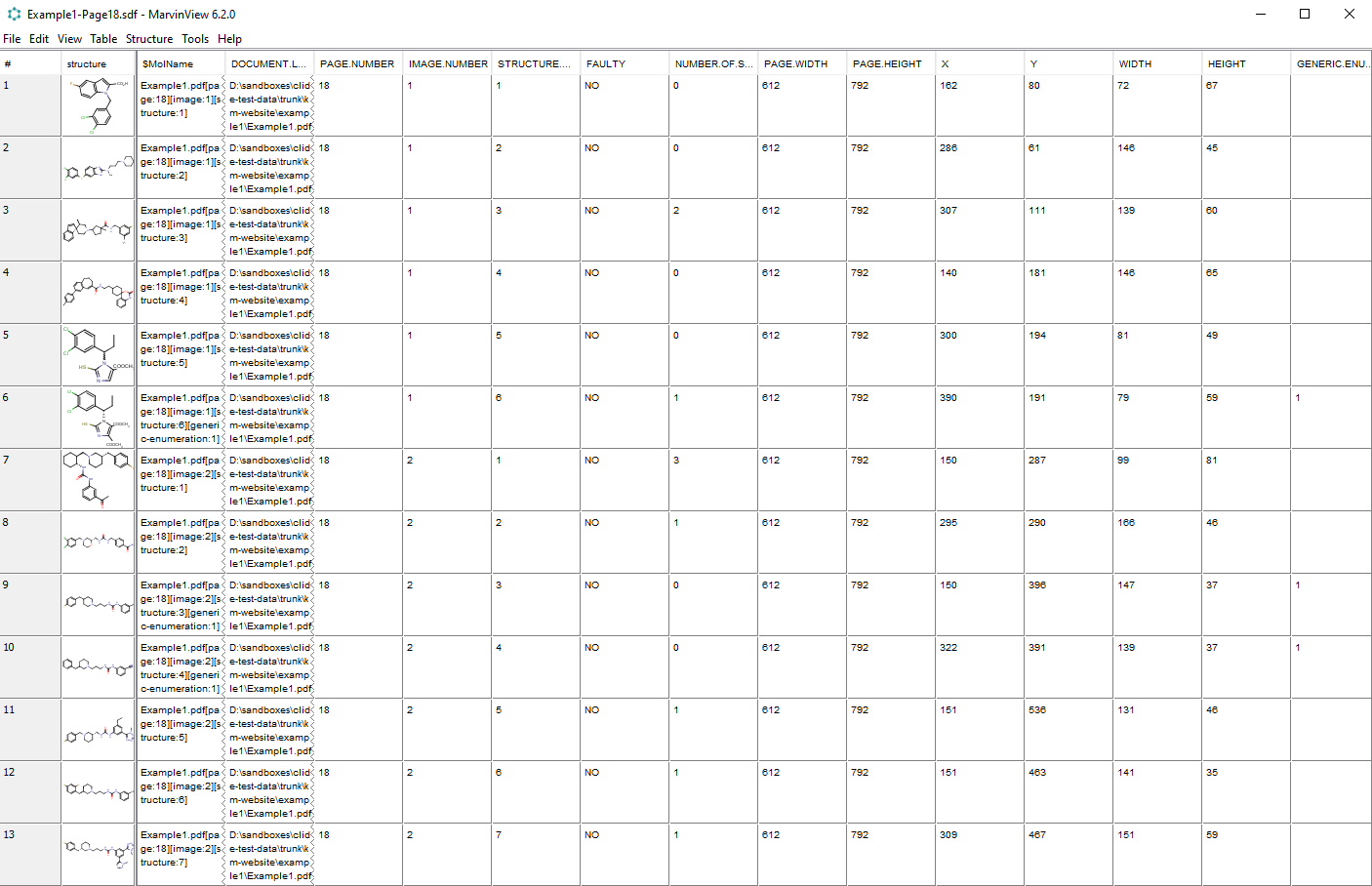
User observes structures and their property values exported by CLiDE Professional in other applications such as ChemAxon’s MarvinView
Special Offers
Exclusive limited-time pricing on software solutions. Accelerate your research with advanced solutions at unmatched value.